
/
/
OpenAI launches ChatGPT for PowerPoint in beta, letting users create, edit and organise slides using simple AI prompts directly inside PowerPoint.
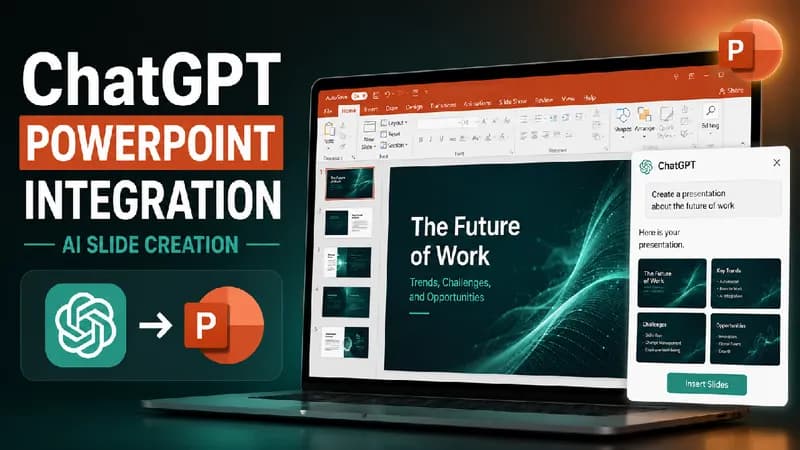
ChatGPT PowerPoint Integration: OpenAI has officially launched ChatGPT for PowerPoint, and this is probably one of the most useful AI features the company has released for everyday users so far. Instead of spending hours arranging slides, rewriting points, fixing layouts and struggling with presentation flow, users can now simply chat with ChatGPT directly inside Microsoft PowerPoint and get an entire presentation ready within minutes.
The new feature is currently rolling out globally in beta, and surprisingly, OpenAI is not limiting it only to premium users. Even Free and Go users are getting access alongside Plus, Pro, Business, Enterprise and education plans.
That alone shows how serious OpenAI is about making ChatGPT a real productivity tool instead of just another AI chatbot people use for fun.
The new ChatGPT PowerPoint integration works as an add-in inside Microsoft PowerPoint. Once installed, a ChatGPT sidebar appears directly inside the app, allowing users to create, edit and organise slides using simple natural-language prompts.
In simple words, users can now type things like:
And ChatGPT will handle the work inside PowerPoint itself.
This is a major shift because users no longer need to jump between ChatGPT and PowerPoint tabs copying content manually. Everything now happens in one place.
This launch feels much bigger than a normal feature update.
For months, Google has been pushing Gemini inside Google Slides, while Anthropic’s Claude already offers presentation-generation tools. OpenAI was slowly falling behind in this area. But with the new OpenAI PowerPoint integration, the company has finally entered one of the most important workplace software categories.
And honestly, this move makes complete sense.
Presentations are painful for most people. Whether it’s students preparing assignments, startup founders pitching investors, teachers creating lectures or office employees making weekly reports, almost everyone struggles with slides.
OpenAI knows that if ChatGPT can save even one hour of presentation work, people will keep coming back to it daily.
According to OpenAI, the feature goes far beyond basic slide generation.
Users can upload:
After that, ChatGPT can transform all of that into a structured and editable presentation.
The AI can also:
One of the most interesting features is screenshot conversion. Users can upload screenshots, and ChatGPT can turn them into editable PowerPoint slides instead of forcing users to recreate everything manually.
That alone could save professionals a massive amount of time.
What makes this feature powerful is not just AI. It’s convenience.
Most AI presentation tools still feel separate from the apps people already use. But ChatGPT now works directly inside Microsoft PowerPoint, which removes friction completely.
The setup process is also simple:
Once done, the AI assistant appears right inside PowerPoint. There’s no complex setup, and you don’t need any technical skills to use it.
OpenAI says the feature is currently in beta, so some advanced PowerPoint tools don’t work perfectly yet.
Things like complex templates, custom fonts, and detailed design settings may still need a bit of manual fixing. The company has also warned users to review AI-generated presentations carefully before sharing them professionally. That warning matters.
AI tools are getting smarter, but they still make mistakes, especially with facts, formatting and context. ChatGPT can speed up work dramatically, but it should not replace human review entirely.
This is not just about presentations.
This is OpenAI slowly turning ChatGPT into a full workplace operating system.
Earlier, the company added support for spreadsheets, data analysis and document workflows. Now presentations are joining the ecosystem too. Reports suggest deeper integrations with Gmail, Outlook and SharePoint are also becoming part of the experience.
And if OpenAI continues at this speed, traditional office work may look very different within the next two years.
The biggest winners here will probably be students, teachers, startup teams and professionals who constantly work with presentations but don’t have design expertise.
For them, ChatGPT for PowerPoint could genuinely become a daily-use productivity tool instead of just another AI gimmick.
Right now, the feature is rolling out globally in beta, and considering how aggressively OpenAI is expanding ChatGPT across work tools, this may only be the beginning.