

New Aadhaar App 2026: How to Update Mobile Number and Address Online Without Visiting Aadhaar Centre
UIDAI’s new Aadhaar app now lets users update mobile numbers and addresses online from home using face verification and OTP login.


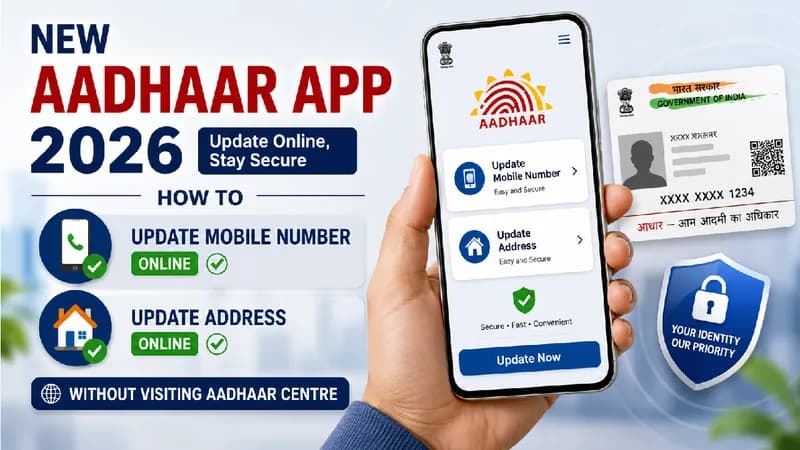
The new Aadhaar app launched by the Unique Identification Authority of India is honestly one of the most practical digital updates Indian users have received in a long time. Anyone who has ever stood outside an Aadhaar enrolment centre in a long queue just to change a mobile number will immediately understand why this matters.
With the new Aadhaar app, users can now update their Aadhaar-linked mobile number and address directly from their smartphone. No photocopies, no paper forms, and in most cases, no enrolment centre visit either. For millions of users who lost access to old SIM cards, shifted homes recently, or simply avoided the exhausting offline process, this is a major relief.
The government has clearly realised that Aadhaar has become too important to depend entirely on physical centres. From banking to UPI, SIM activation to government schemes, a working Aadhaar-linked mobile number is now almost mandatory. And frankly, the older update system had become frustratingly outdated.
New Aadhaar App Brings Mobile Number Update Feature Online
The biggest highlight of the new Aadhaar app is the Aadhaar mobile number update feature. Earlier, this process almost always required a physical visit because biometric verification was mandatory at the centre.
Now, UIDAI has shifted much of the process online using OTP authentication and face verification technology inside the app itself. That’s a huge change.
Users can simply log in using Aadhaar authentication, verify themselves through the app, enter a new mobile number, complete verification, and submit the request digitally.
Here’s how the process works:
- Download the official Aadhaar app from Android or iPhone app stores.
- Log in using Aadhaar details.
- Open the “Services” section.
- Tap “Update Mobile Number”.
- Enter the new number.
- Verify it through OTP.
- Complete face authentication if prompted.
- Submit the request.
Once submitted, UIDAI processes the request digitally.
One important thing users should remember is that updates are not instant. UIDAI says the process can take up to 30 days. That may sound long in 2026 standards, but compared to multiple physical visits, it still feels far more convenient.
Aadhaar Address Update Online Is Also Available
The Aadhaar address update online feature is another big addition inside the app. Anyone who recently shifted homes can now update address details without visiting an Aadhaar centre.
Users simply need to upload valid address proof documents and ensure the entered information matches the uploaded document exactly.
Accepted documents typically include:
- Utility bills
- Bank statements
- Government-issued documents
- Rental agreements in some cases
After uploading documents, users pay the service fee digitally and submit the request through the app.
From a user experience perspective, this is probably the smartest thing UIDAI has done in years. The older process felt stuck in another decade, especially for younger smartphone users who expect services to work digitally.
Aadhaar Update Fee and Processing Time
Here’s a quick look at the latest charges and timelines announced for the new Aadhaar app services:
The payment happens directly inside the app through digital payment methods.
What Still Cannot Be Updated Online
Despite all the improvements, some Aadhaar services still require a physical visit.
These include:
- Fingerprint updates
- Iris scan updates
- Date of birth correction
- Major biometric changes
So while the new Aadhaar app solves many everyday problems, it hasn’t fully replaced enrolment centres yet.
Honestly, that’s probably the right approach for now. Sensitive biometric changes still need stricter verification, and keeping those processes offline helps reduce misuse risks.
New Aadhaar App Also Adds Face Verification and QR Features
The app is not just about updates. UIDAI has added several modern features that actually make the app feel useful beyond emergencies.
According to government announcements, the app now supports:
- Face verification
- Authentication history tracking
- Biometric lock/unlock
- QR-based identity sharing
- Offline Aadhaar verification
This means users can potentially use the app during hotel check-ins, identity verification, and document-sharing situations without carrying physical copies everywhere.
The app was officially introduced by Jitin Prasada as part of India’s broader digital identity push.
Why This Aadhaar Update Actually Matters
The new Aadhaar app may not look revolutionary at first glance, but for ordinary users, this is exactly the kind of upgrade that matters.
India has spent years building digital infrastructure, but basic Aadhaar corrections still felt unnecessarily difficult. This update finally fixes one of the biggest everyday complaints people had with the Aadhaar system.
The only real downside is the processing time. In an age of instant verification, waiting up to 30 days still feels slow. But if UIDAI manages to maintain security while reducing centre visits, most users will gladly accept the delay.
And honestly, if this system works smoothly at scale, long Aadhaar centre queues may finally start disappearing.
FAQs
Is the new Aadhaar app officially launched by UIDAI?
Yes, the new Aadhaar app has been officially launched and supports mobile number and address updates online.
Can mobile numbers be updated without visiting Aadhaar centres?
Yes, people can now update their mobile number through the Aadhaar app itself. They just need OTP verification and face verification to submit the request.
What is the fee for Aadhaar mobile number update?
UIDAI currently charges Rs 75 for mobile number updates through the app.
How long does Aadhaar update processing take?
UIDAI says updates may take up to 30 days to reflect in official records.
Can date of birth be updated through the Aadhaar app?
No, date of birth correction still requires a physical visit to an Aadhaar enrolment centre.