
iOS 27 Developer Beta 3 Released: How to Install, New AI Features and Supported iPhones Explained
Apple releases iOS 27 Developer Beta 3 with Live Recognition, Siri upgrades and bug fixes. Check supported iPhones and install steps now.


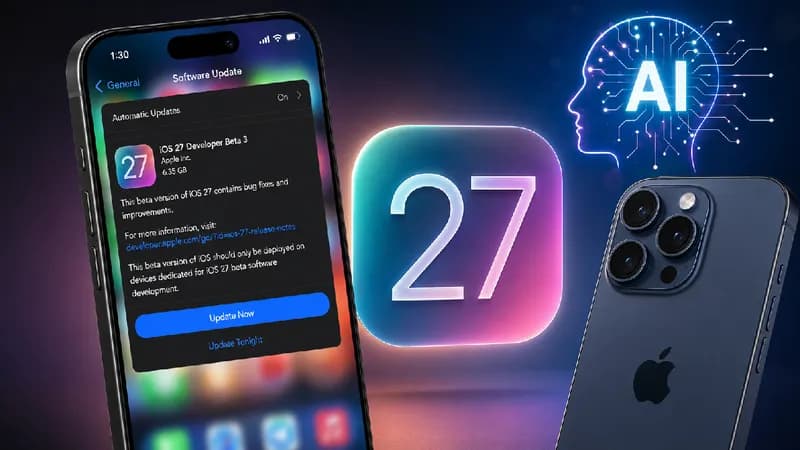
If you've been keeping an eye on Apple's software roadmap, you already know things are moving fast. iOS 27 Developer Beta 3 is officially out, and it brings a solid mix of AI-driven features, welcome refinements, and fixes for bugs that were bothering developers in earlier builds. It's not a ground-up overhaul, but it's a meaningful step forward, and it gives us a much clearer picture of where iOS 27 is headed.
This isn't the kind of update that makes your jaw drop, but it does make iOS feel sharper. Whether it's the new accessibility tool powered by AI or Siri finally sounding a bit more like a real conversation partner, iOS 27 Beta 3 has enough going on to deserve a closer look.
What's New in iOS 27 Developer Beta 3?
The feature getting the most attention is Live Recognition, and honestly, it earns it. It's an AI-powered accessibility tool that taps into your iPhone's camera to help make sense of the world around you.
Point your camera at something and Live Recognition can identify everyday objects, describe what's in the frame, and even answer questions about what it sees, all without sending your data off to a server. Everything is processed on-device, which means faster results and better privacy. That's a combination Apple doesn't always get right, so when it does, it's worth noting.
Siri Gets More Natural
Siri has been the butt of a lot of jokes over the years, but Apple is clearly working to change that. In this beta, users can now tweak Siri's speaking speed, adjust voice expressiveness, and change the overall speaking style.
It might sound like a small thing, but for anyone who finds the default Siri voice a bit robotic, or for users with accessibility needs who rely on it heavily, these options make a real difference. Siri just feels more like something you'd actually want to talk to.
More Improvements Across iOS
Beyond the AI features, Apple has quietly refreshed a handful of built-in apps and system-level experiences. Some things worth knowing:
- Reminders gets a new Liquid Glass-inspired icon.
- Photos now lets you add star ratings to photos and videos.
- Control Center can show your cellular signal strength even when you're on Wi-Fi.
- Shortcuts, Maps, Home, AirPods integration, Lock Screen visuals, HealthKit APIs, StoreKit, SwiftUI, and various developer tools all see improvements.
- System stability has been addressed too, with fixes targeting Bluetooth, battery recovery, Foundation Models, SwiftData, and StoreKit Testing.
On the performance side, animations feel smoother, apps switch faster, scrolling is cleaner, and a lot of the random crashes people were seeing in earlier betas are gone. It's the kind of under-the-hood work that doesn't make headlines but absolutely makes a difference in day-to-day use.
Supported iPhones for iOS 27 Developer Beta 3
Apple has kept the compatibility list fairly broad for iOS 27 Developer Beta 3. The update is available for:
- iPhone 17 series
- iPhone 16 series
- iPhone 15 series
- iPhone 14 series
- iPhone 13 series
- iPhone 12 series
- iPhone 11 series
- iPhone SE (2nd generation and newer)
One thing worth flagging though, being on the supported list doesn't mean you get everything. Apple Intelligence features need newer hardware to run, so if you're on an older device, you'll get the update but may miss out on some of the AI capabilities.
How to Install iOS 27 Developer Beta 3
If you're already in Apple's Developer Program, getting iOS 27 Developer Beta 3 onto your phone is pretty straightforward. Here's what to do:
- Open Settings
- Tap General
- Select Software Update
- Open Beta Updates
- Choose iOS 27 Developer Beta
- Go back to Software Update
- Tap Download and Install
Just make sure the Apple ID on your iPhone is the same one tied to your developer account, otherwise the beta option won't show up.
Should You Install It?
Here's the honest answer: it depends on what you're using your phone for.
Beta 3 is genuinely more stable than its predecessors, but Apple still calls it a developer build for a reason. There are known issues in apps like Siri, Safari, Photos, Messages, Camera, Mail, CarPlay, and Home Screen. On top of that, beta software tends to drain your battery faster, run a little hotter, and occasionally crash at inconvenient moments.
If your iPhone is your main device and you rely on it throughout the day, waiting for the public beta, or just holding out for the stable release, is the smarter play. You'll get all the same features without the rough edges.
That said, if you're a developer or a seasoned beta tester who knows what they're signing up for, this release has a lot to offer. The latest APIs, Apple Intelligence updates, and improved stability make it a worthwhile install for those building or testing apps.
Apple Also Released More Beta Updates
iOS 27 Developer Beta 3 didn't arrive alone. Apple pushed out fresh developer beta builds across its entire platform lineup at the same time:
- iPadOS 27
- macOS 27
- watchOS 27
- tvOS 27
- visionOS 27
The testing cycle is clearly in full swing as Apple works toward its usual fall release window.
What You Should Know Before Updating
Strip away the headlines and iOS 27 Developer Beta 3 is really about one thing: refinement. Live Recognition is the standout new feature, but the quieter improvements, smoother Siri, better performance, cleaner animations, and a long list of bug fixes, are what make this beta feel like a meaningful step forward.
For developers, it's an important checkpoint before the public launch. For everyone else, the features are genuinely exciting, but a little patience will go a long way. The public beta and final release aren't far off, and they'll be worth the wait.